Teach it live.
See exactly where it went wrong.
Plaito Maths puts a real past-paper question on a shared whiteboard between you and your student. They hear your voice. They watch your pen think. And when they try one themselves, you don't just get a score back — you get their actual working, every stroke of it, and the exact step where it slipped.
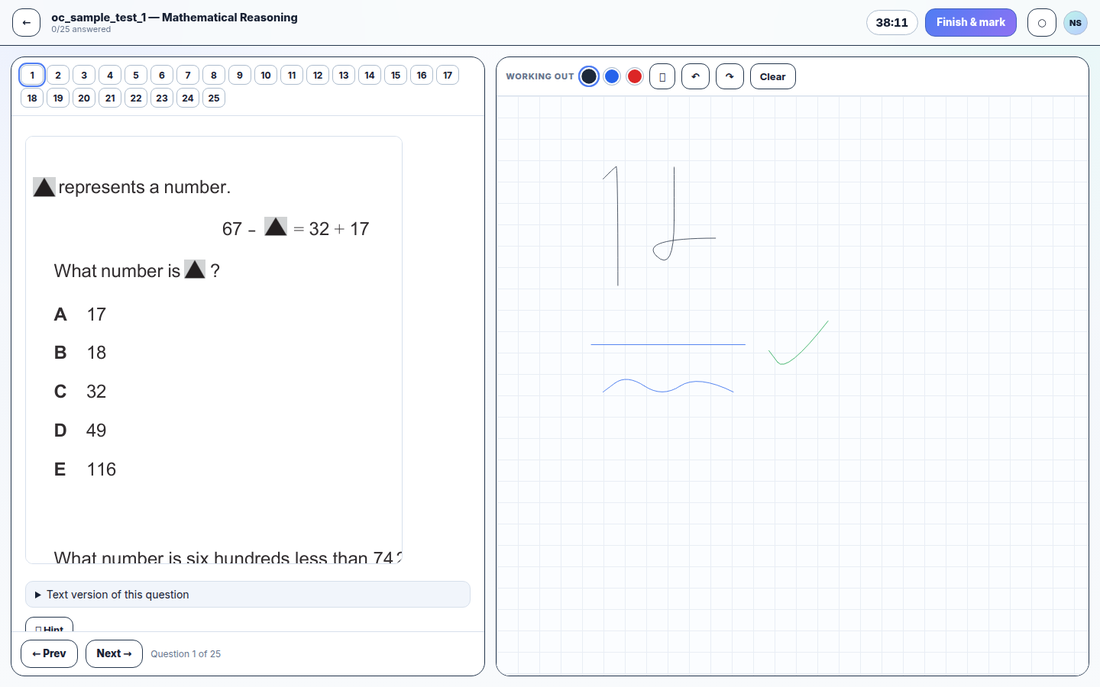
You've done the Zoom-and-PDF dance. So had we.
The shared screen that freezes. The "can you see my cursor?" The student who says "yep, makes sense" while their page stays empty. Plaito Maths is the desk we wished we could sit at together: your student writes, and you watch it happen — as if you were leaning over the same page. When their pen stops moving, you know before they say a word. That's the blueprint we build everything on: make the thinking visible, and stay calm while you do it.
One tutor, one student, one shared page. (Group rooms work the same way — up to a whole class of pens.)
Everything a tutoring lesson needs.
Nothing it doesn't.
◉Live lessons
Your voice and your pen, live on your student's screen. No installs, no accounts for kids, no juggling a call in one app and a whiteboard in another — you send a six-letter room code, and you're teaching inside two minutes.
▤A real exam bank
Not questions "in the style of" the Selective test — 809 questions digitised from real past papers, answers verified by a human, worked solutions attached. Push any of them to the board mid-lesson in one tap.
⌂Homework that marks itself
Assign a lesson code on Friday. Over the weekend your student answers on the same canvas they learned on — and on Monday you're not marking, you're reading: every answer scored, every stroke of working kept for you to replay.
✦AI that reads the working
Anything can mark a multiple-choice answer. Plaito Maths reads the handwriting itself and names the line where the method slipped — so your feedback starts at the mistake, not at "wrong, try again".
Every skill climbs the same three rungs.
We don't believe in mystery pedagogy. Every one of the 73 skills we track — fractions, ratios, working backwards, angle chasing — moves through the same honest ladder:
Drill the fundamentals
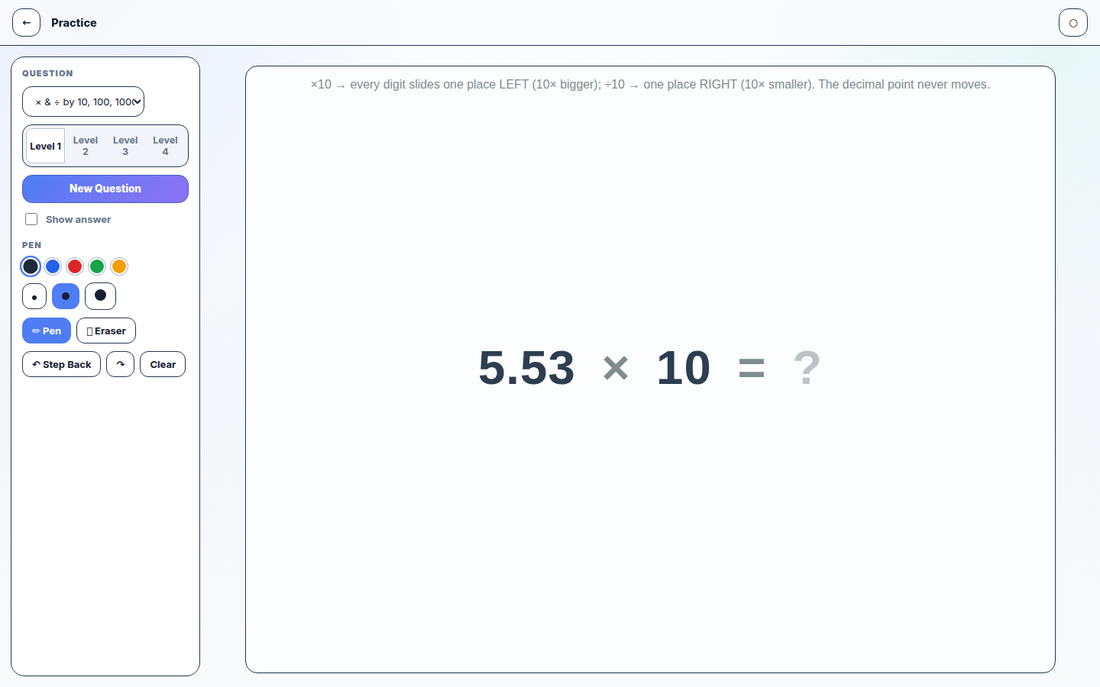
Unlimited generated questions per skill, graded across four levels. Your student practises until the basics are boring — which is exactly when they're ready.
Watch it taught
You work a real exam question live — or they replay your recording, your ink synced to your voice, as many times as they need. Nobody has to admit they "didn't get it" to hear it again.
Beat the real thing
Past-paper questions filtered to that one skill, then full timed exam simulations with the working canvas beside every question. The real test should feel like a Tuesday practice run.
Sunday, 7:40pm. The homework marks itself — and keeps the working, so Monday's lesson starts where the thinking actually stopped.
The homework comes back already marked — with the thinking attached.
Your student opens a code, works on the canvas, and presses finish. You open one page and see what they answered, how long each question took, and the handwriting behind every attempt. No photographed worksheets, no "I forgot my book", no guessing whether they rushed question six. You read their thinking, not just their score.
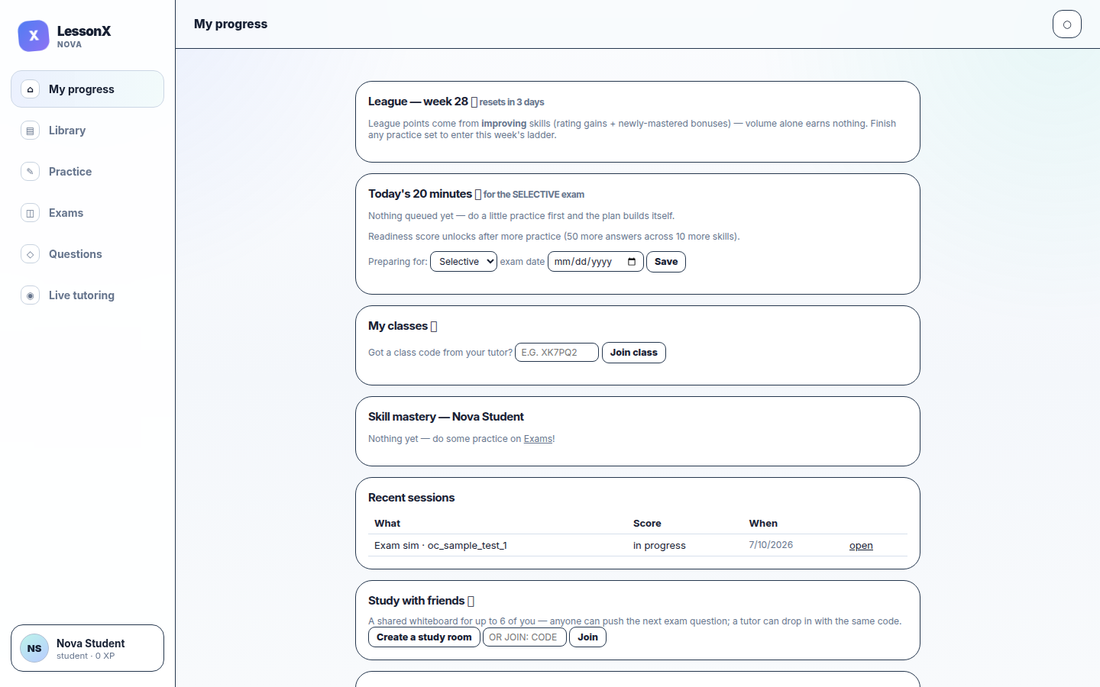
Show the graph, not the vibe.
When a mum asks "how's she actually going?", you don't say better and hope. You open one page: mastery per skill, the weakest areas named, and the exact working from last week's homework. We hold one rule sacred here, straight from our design blueprint: evidence before labels. Plaito Maths never calls a child a "weak student" — it shows you the three skills that need attention and the progress made on each, so the conversation is about the maths, not the kid.
These are screenshots, not mockups.
Everything on this page is the real app you'll be inside two minutes from now — same pages, same pixels.
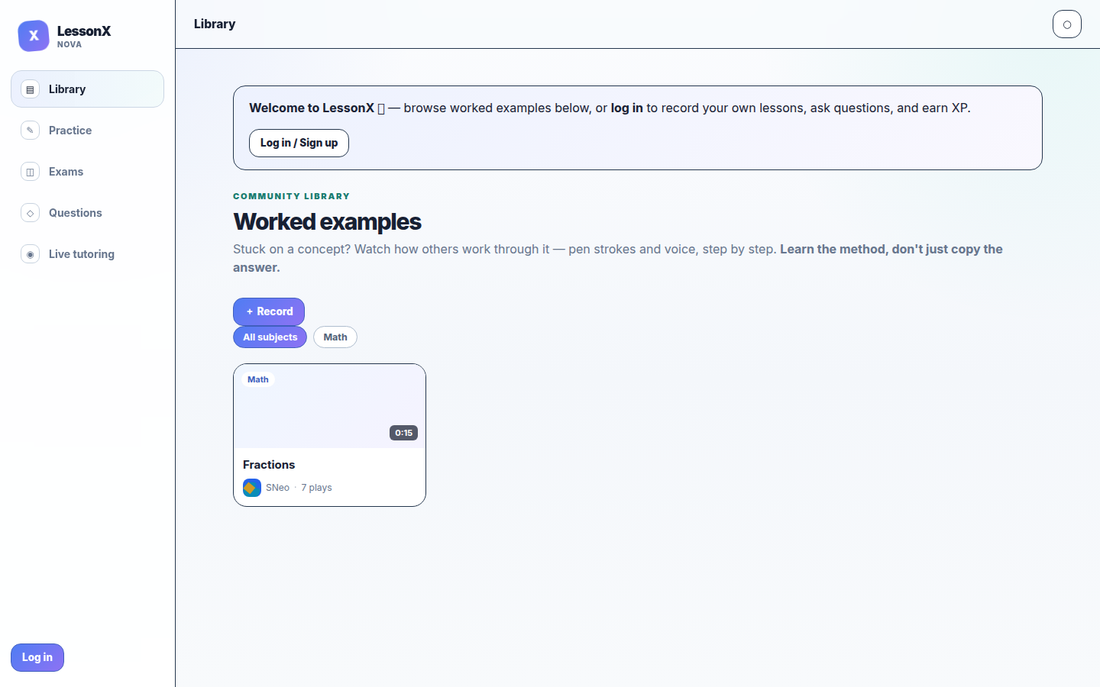
Record a worked example once — pen and voice together — and every student who ever gets stuck on that concept can replay it.
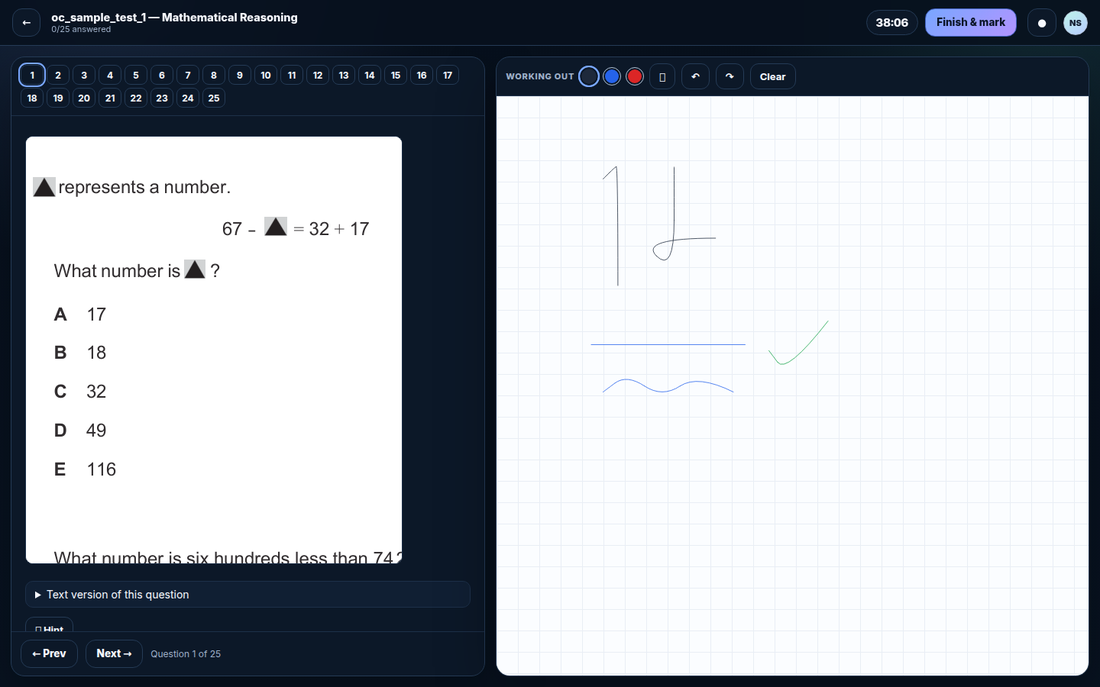
Late-night revision friendly. (Notice the writing canvas stays paper-white in dark mode — ink should always be easy to read.)
Selective School Program
40-week course + 20-week exam sprint
A curriculum with a spine.
Maths and Thinking Skills every single week; Reading and Writing on rotation — so all four test sections stay warm between lesson and homework. Mock exams run on the real timing, in the real interface, so the first time your student sits the actual test, nothing about it feels new. Join late? A diagnostic finds the gaps and builds a catch-up track from your recorded lessons.
Don't just tell families a student is improving. Show them where.
Create a room, text your student the code, and teach your first live lesson tonight. Two minutes to start, nothing to install — and it's free while we grow.
Start teaching → Try a timed exam first